The Timesheet
In Nydli you never build a report. The timesheet is always there and always up to date. It adds your tracked time up by category, and every task shows under the category it belongs to.
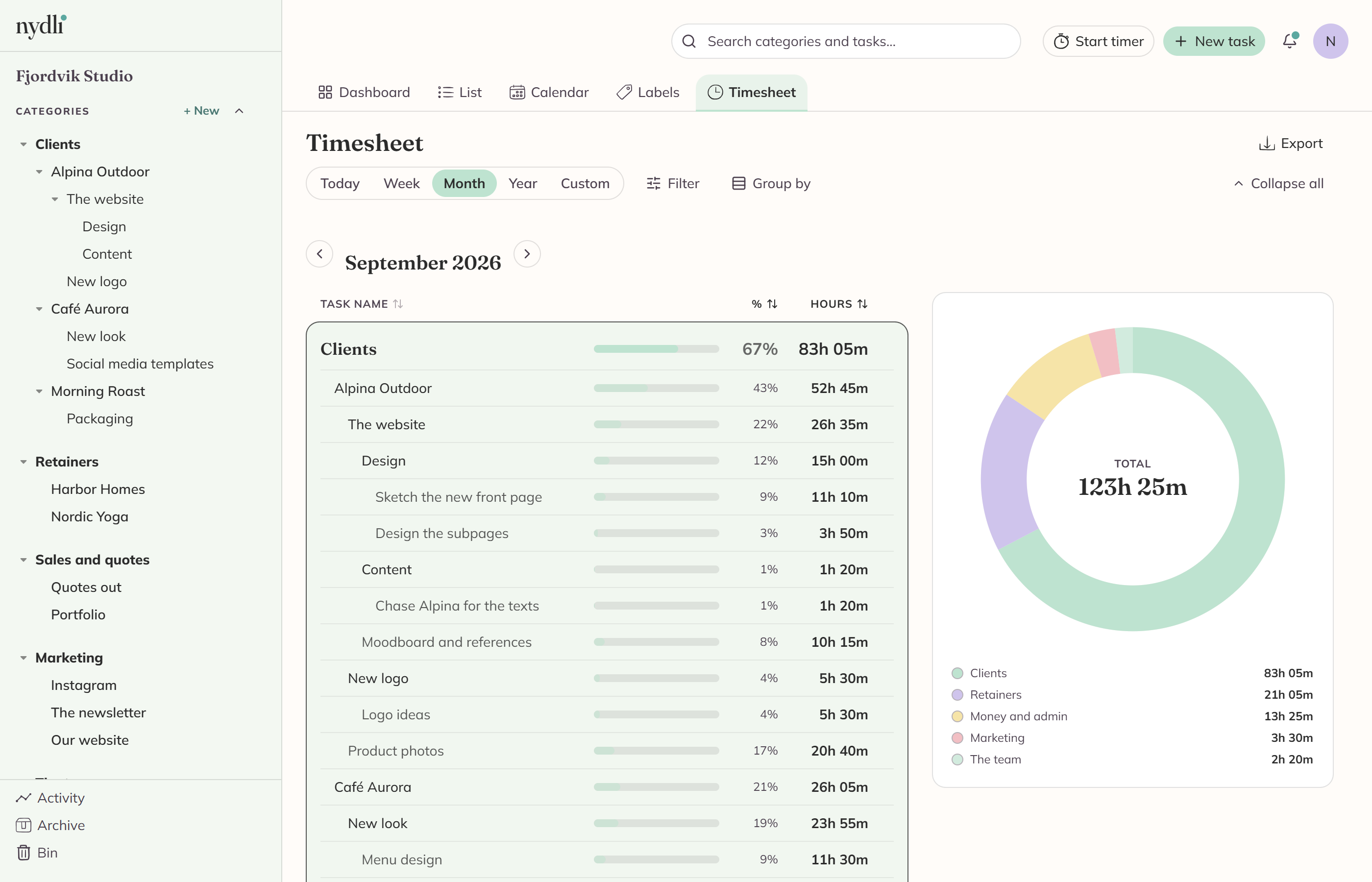
You pick the period you want to see
You switch between today, week, month, year and a custom date range. The arrows step one period at a time, and Today takes you back to now.
Weeks start on the day you chose in Settings. If you use a custom range, the arrows step by the length of that range.
You read it like your category tree
- Categories keep their hierarchy, so a parent category's row adds up everything under it.
- The donut beside it shows you how the period split across your top-level categories. If everything you tracked belongs under one of them, it drops a level. When you hover a slice, or move through it with the arrow keys, you'll see its share.
- Every row shows its hours and its share of the period.
- You can click a task to open it. You can also collapse the categories you aren't interested in, and Nydli remembers what you collapsed.
- You sort by clicking the Task name, % or Hours column header. When you click it again, the order reverses.
Filter it down to what you need
You can filter by categories, by tasks and by labels, so you can see only Billable time for one client. If you pick a category, you get everything under it, and you can pick several.
The filters work together, and Clear filters takes you back to everything.
If there are other people in the workspace, an owner or an admin also gets a User control. You can see your own hours, everybody's, or one person's.
Tasks you've marked done always count here, and so do archived ones. A timesheet is for finished work. Only deleted tasks leave it.
You can group the hours by a label tree
Group by puts the timesheet inside one tree, so you can read the same hours per client, or however your trees are set up.
You get one box per label, and a Without
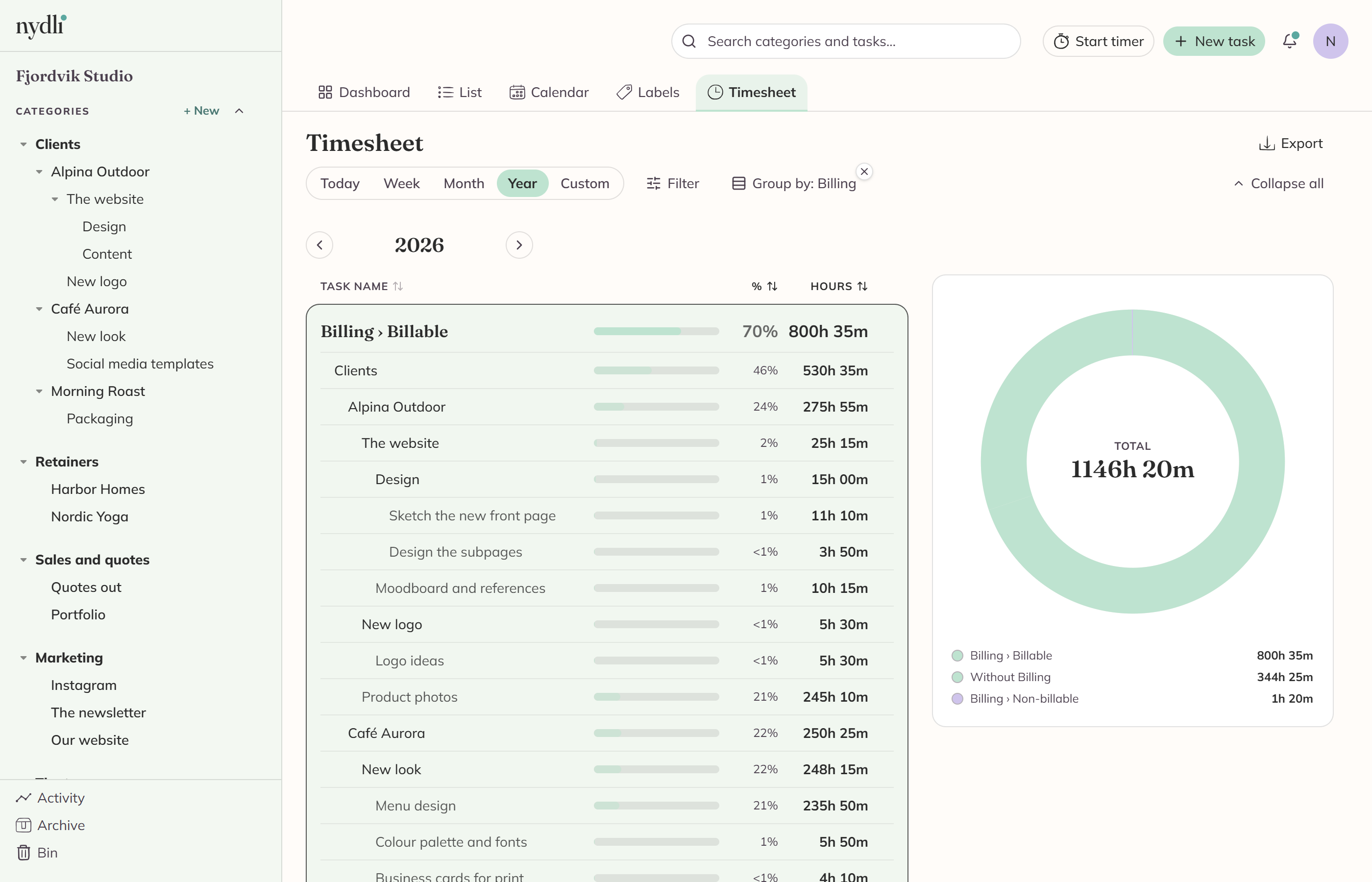
You can't group by a tree that allows several labels per task, because then the sums would count the same hours twice. The menu tells you why. See Allowing several labels per task.
Take it out in whichever format you need
When you use the Export menu, you get the timesheet exactly as you've filtered and sorted it:
| Format | Best for |
|---|---|
| CSV, Excel, OpenDocument | Opening in a spreadsheet |
| Sending to a client, keeping a record | |
| Markdown, plain text | Pasting into notes or email |
| JSON | Feeding another tool |
The spreadsheet formats give you plain numbers, so the hours are decimals. The document formats follow your language and use the timesheet's own "5h 03m" notation.
Every export says when you made it, in your time zone.