Done, archive or delete?
You have three ways to get a task off your list. Which one you want depends on what should happen to it afterwards.
Mark as done: "I've finished working on this"
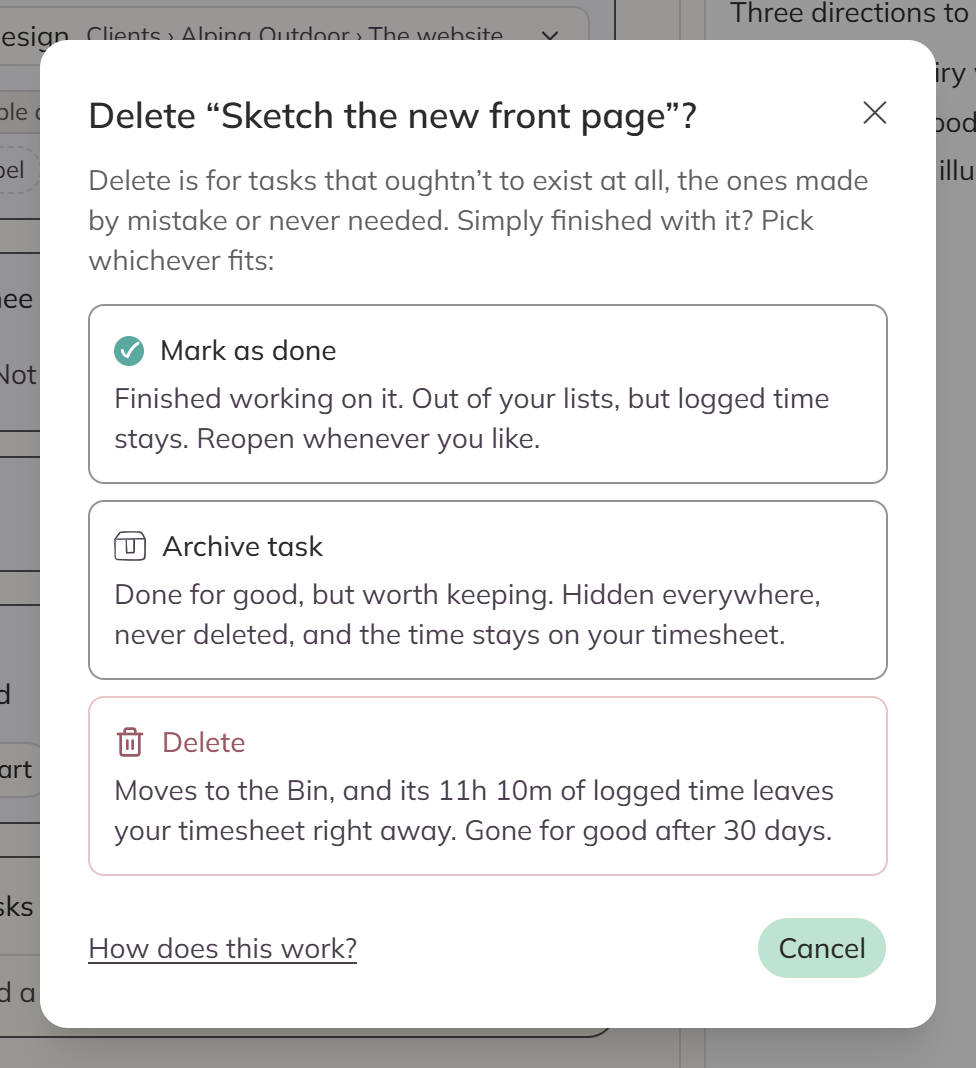
This is the everyday way to finish a task. The task comes out of your lists, your calendar and your search. The time you logged on it stays on the timesheet.
Your done tasks are still there. Turn on Show done tasks in the filter to see them, and you can reopen one with a single click.
To mark a task done from a List row, click the circle at the front of it. In the editor you'll find Mark as done at the bottom.
Example: You've finished writing the newsletter, so you mark the task as done.
Archive: "Done for good, worth keeping"
This is for work you'll never touch again, but you want the proof that you did it.
- Archived tasks stay out of sight everywhere, even when you turn on Show done tasks.
- We never delete them, and their time always counts on your timesheet.
- You'll find them on the Archive page, and Reactivate brings one straight back.
- When you archive a category, everything inside it goes with it.
Both the Archive and the Bin have a search box, and a Select button so you can put several things back at once.
Example: A client project finished up last year, so you archive the whole category.
Delete: "This shouldn't exist"
This is for tasks you made by mistake, or never needed at all.
When you delete a task it goes in the Bin, and the time you logged on it leaves your timesheet right away. You can restore it, hours and all, for 30 days. After that the task and its hours are gone for good.
Example: You've gone and made a duplicate, so you delete it.
See the three side by side
| Mark as done | Archive | Delete | |
|---|---|---|---|
| In your lists | Hidden, but Show done brings it back | Hidden | Hidden |
| Time on the timesheet | Stays | Stays | Leaves immediately |
| Way back | Reopen whenever | Reactivate whenever | Restore within 30 days |
| Ever gone for good? | Never | Never | After 30 days |
When you press Delete, the dialog offers you all three in that order. It also tells you how much logged time you would lose before you choose.
A category has the same three ways out
You'll find them in its ••• menu in the sidebar, and it has two rules of its own:
- You can't delete a category that still has unfinished tasks in it. Move them, finish them, or archive the category instead.
- You can't delete one that has archived items in it either. Deleting never reaches into the archive, so if you really do want them gone, reactivate them first.
When you archive a category, everything inside it goes too. Your logged time stays on the timesheet either way.
See Categories for the rest of what the menu does.