Dashboard
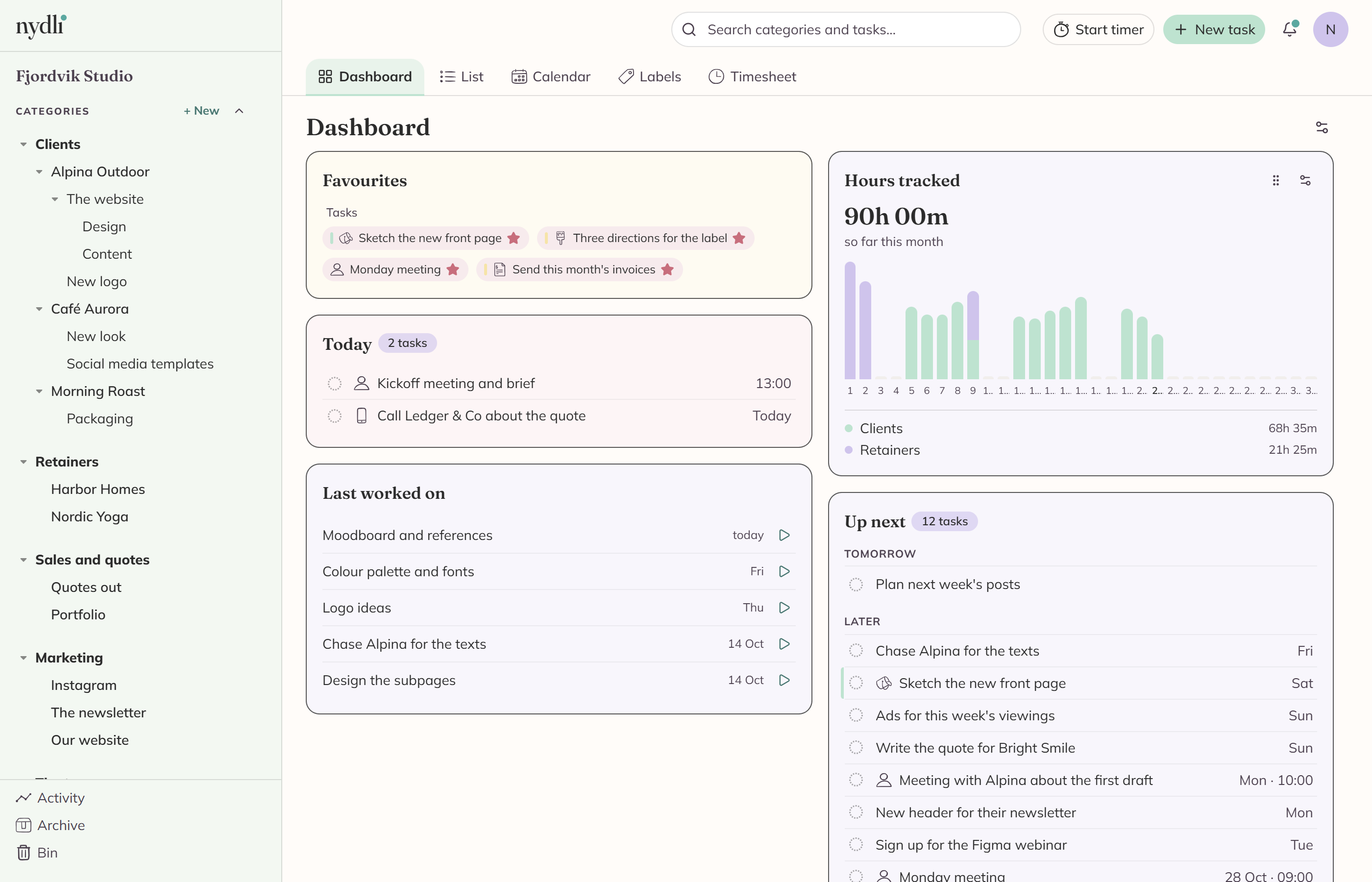
The Dashboard is the page Nydli opens on. It shows you what you've starred, what's due today, what you were last working on and how your hours are going.
The sections are a fixed set, and you choose which ones you want and where they go. There's nothing to set up before it's useful.
When you click a task anywhere on the page, it opens right here in an editor beside the sections. When you close it again, you're still where you were.
You get six sections
Favourites
Everything you star shows up here, with your categories in one row and your tasks in another.
You can drag them into the order you want, or move them with the arrow keys. If you unstar one by mistake, Nydli offers you an undo.
On a phone the card folds down to one button per group, and the button opens a list. See Nydli on a phone.
Today
These are your open tasks due today. Anything overdue is grouped in red at the top.
- You can click the circle at the front of a row to mark a task done without opening it.
- The date column says Today, or the time of day if the task has one.
When you finish the last of them, the overdue ones included, the section tells you that you're done for today. If you have whimsical mode on, it says so with confetti.
When you come back later that day, or open Nydli on another device, it still says you're done. The confetti only comes when you finish the last task.
Up next
Up next shows the tasks due after today. You decide how far ahead to look, and you can choose tomorrow, 7 days, 14 days or 30 days.
Tomorrow comes first, under its own heading. We gave it one because tomorrow is the day ahead you can still do something about, and it used to disappear into a list of dates. The heading stays even on a day with nothing in it, so you can see at a glance that tomorrow is clear.
Everything after tomorrow comes under Later, and those rows carry the weekday. Dates further ahead than the coming week show as a date.
Tomorrow is never shortened. If you have a long day coming, you see all of it, and the button at the bottom only ever opens the rest of Later.
Last worked on
You get the tasks you last tracked time against, and each one has a start button. That way you can pick yesterday's job back up in one click.
Next to each task you see when you last worked on it, like yesterday or Fri. If a timer is running, that row says now and its button is a red stop button. It's the same list the quick-start panel in the header uses.
Hours tracked
This is the time you've logged, as one bar per day with the total above it.
Each bar is split by the categories the hours went to. Up to four of them are named under the chart with their own hours, and anything left over is shown as Other.
Each name covers everything filed under it, so hours you logged on a task in a subcategory still count towards the category named here.
When you hover a bar, or a stripe inside one, you can read which category those hours belong to. You choose the period in the section's own menu: today, this week, this month or this year.
Billable
You see the same hours again, split by one of your label trees, so you can see what share of the month was billable.
It starts out hidden, because it first has to know which of your labels says what's billable. It needs a set of labels where every task has exactly one. See One label from each tree.
Set it up the way you want it
Every section has a drag handle in its header and a menu of its own.
- Drag the handle to put the section somewhere else, or move it with the arrow keys.
- The menu sets it to full or half width, and it can hide the section. It also holds that section's own settings, like the overdue group or how far ahead Up next looks.
- Move up and Move down in the same menu are how you reorder sections on a phone. You can also press and hold a section until it lifts, and then drag it where you want it.
If you've hidden a section and want it back, use Customise dashboard, the cog at the top of the page.
Nydli saves the arrangement for you, and everybody who shares the workspace gets their own.