Templates
An empty app is hard to judge. When you use Settings → Templates, Nydli fills the workspace with a ready-made setup, so you can see Nydli with something in it. Then you can take out whatever you don't want to keep.
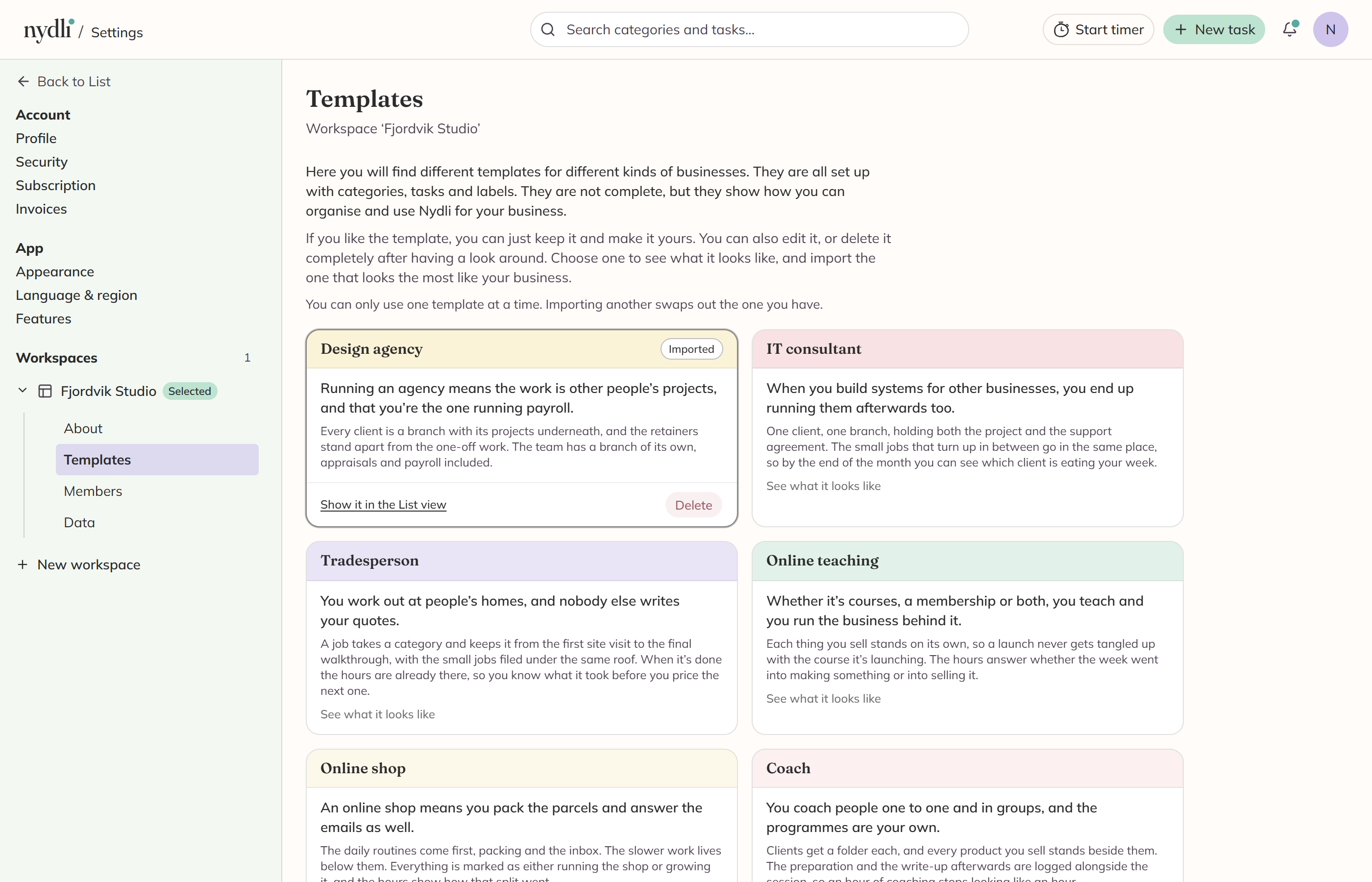
You get a card per kind of business
They run from a design agency to a personal trainer. Each one tells you who it suits and how it's put together, and when you click See what it looks like, you get the List view before you commit to anything.
Pick whichever is closest to your own line of work, because they all work the same way.
Whichever one you pick, you get it in your language, with:
- a category tree set up the way that kind of business actually works
- tasks with real dates and notes on them, including a couple due today so the Dashboard has something to show
- labels set up both ways, as a tree you pick one label from and as a single Urgent label
- a year of tracked time, spread across realistic working days, so the timesheet reads properly over a month as well as a week
- a few favourites, starred for you
You need to be the workspace Owner or an Admin, because importing a template creates labels.
You can only have one template at a time
If you want another, Nydli swaps them for you, and it asks you first and tells you what it takes with it. The first template's tasks and categories go to the Bin, and your own changes to them go with them. We delete its labels for good, and then the new one comes in.
You choose what goes when you delete it
When you click Delete on the imported card, Nydli asks. We always take out the hours it made, so the timesheet never counts time nobody worked, and the "Example data" labels go too.
Everything else is a tick-box, because people often want to keep it:
- The tasks move to the Bin, where you can still restore them for 30 days. If you keep them, they become your own, with no hours on them.
- The categories go to the Bin with everything in them, including anything you added yourself. If you keep the tasks, you keep the categories as well.
- The other labels the import made, meaning the template's own field and the Urgent one, go for good, because we haven't built a bin for labels. Any sub-labels you added underneath go with them.
Anything you keep stops being example data and becomes yours. So if you untick everything, you keep the setup as your own, and the timesheet starts from zero.
Already have real work somewhere?
Then a template is the wrong tool. Import your real work instead. See Import from ClickUp.